 README.md
 CLAUDE.md
Chapter 11: card, drawing a PNG one pixel at a time
Paste a link to this site into Discord and it unfurls: a title, a line of text, and a picture. This chapter is the picture. Here is a real one, drawn by the site just now for a question it has been asked before:

The answer is large, and under it is the half that makes it fun: the numbers. A yes-or-no gets a slider from no to yes (from 0% to 100% for a how-likely). A pick gets a slider for each of its three likeliest options. A how-much gets a column for every level, like a histogram. The code has its own card too:
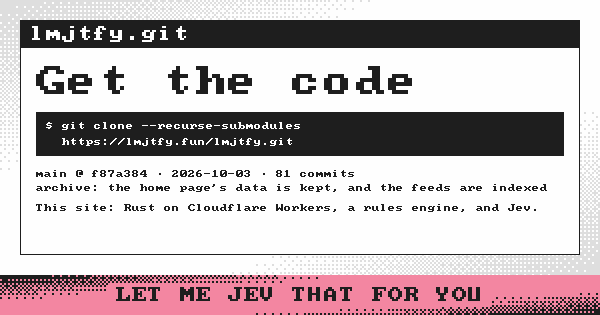
Aside: why by hand? A Worker on the free plan gets ten milliseconds of CPU per request. A font engine and a vector renderer would eat that, and several megabytes besides. So the card is drawn the way old computers drew text: an 8 by 8 bitmap face (
font8x8, public domain), scaled up, a pixel at a time, into a 600 by 315 canvas with four colours at two bits a pixel. That is also exactly the page's look. The PNG comes out at about 4 KB.
A preview never asks anything. Chat apps fetch every pasted link, often several times, so the preview is read from the archive (chapter 9): a question asked before shows its answer, and one never asked says "Let me Jev that for you." The picture's address carries a short mark of the answer, so a chat fetches it again when the answer changes (a question asked for the first time, most of all).
Try it.
cargo run -p card --example dump -- /tmp/cardswrites every kind of card to a folder, to look at.
For the people who maintain it
png(Card::Home) is the site's own card. png(Card::Question { input, said })
is a question's: said is what Jev answered (archive::Answers), empty for
a question nobody has asked yet. png(Card::Code { url, latest }) is the
code page's, with Commit for the latest commit. WIDTH and HEIGHT are
also the og:image size the page declares. apps/lmjtfy/src/lib.rs serves
it at /card.png, and view.rs and view/code.rs point the pages'
og:image at it.
In this folder
| Path | What |
|---|---|
| src/ | The canvas, the face, and the cards. |
| examples/ | dump, which writes every kind of card to a folder. |
| Cargo.toml | The crate: archive, font8x8 and png. |
← Previous: Chapter 10½, budget/src/ · Up: packages · Next: Chapter 11½, card/src/ →